
What is RAG?
LLMs are great at language, but bad at facts. RAG fixes it because RAG = "Search first, then answer."
Alexander Sugakov ·
The simplest way to make AI answer with your knowledge (not vibes)
If you’ve ever asked an AI a question about your company — a policy, a customer contract, an architecture doc — and it confidently replied with something that sounds plausible but is… wildly incorrect, you’ve met the core problem:
LLMs are great at language. They’re not a built-in source of truth for your private, changing knowledge.
That’s exactly why RAG exists.
Why RAG exists
Most organizations don’t need an AI that invents answers. They need an AI that can:
- find the right internal source (doc, ticket, wiki, database),
- cite it (or at least ground the answer in it),
- and update automatically when the knowledge changes.
RAG is a practical way to get there without spending weeks retraining a model every time someone updates a Confluence page. At Donkit, we build systems that automate deploying and optimizing RAG pipelines, because getting RAG reliably accurate usually takes a lot of trial, error, and experiments.
What RAG is
RAG stands for Retrieval-Augmented Generation.
In plain English: RAG = “Search first, then answer.”
Instead of asking a model to respond from memory alone, you first retrieve relevant information from your knowledge sources, then generate an answer using that retrieved context. So the model isn’t guessing. It’s reading (quickly), then writing.
How RAG works (the mental model)
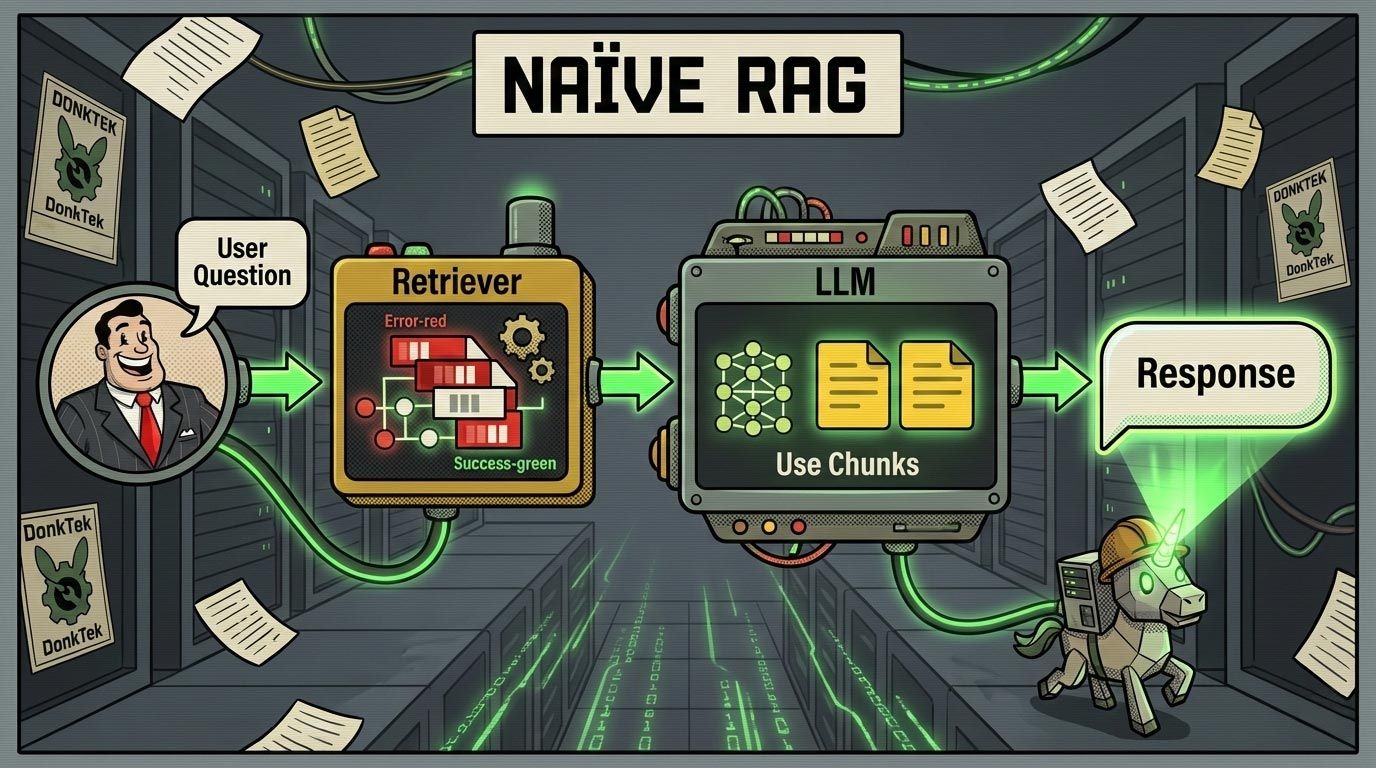
A very simple or (as it is often called) naïve RAG flow looks like this:
- Ingest knowledge — you take documents (PDFs, docs, tickets, HTML pages, etc.) and break them into chunks.
- Create a searchable index — each chunk gets turned into an “embedding” (a semantic fingerprint) and stored so you can find it later.
- At question time: retrieve — the user asks a question → the system fetches the most relevant chunks.
- Generate — those chunks are fed into the LLM as context → the LLM produces an answer grounded in those sources.
If you like quick diagrams:
A simple example Without RAG Employee: “What’s our refund policy for annual plans?” Model: “You can refund anytime within 60 days.” (sounds nice, totally made up)
With RAG Employee asks the same question. Retriever pulls the actual refund policy from the internal doc. Model answers based on that policy (often with citations/snippets). That’s the difference between creative writing and knowledge work.
The key building blocks of RAG
To understand (and later improve) a RAG system, you’ll keep hearing these terms (and we’ll write about those too):
- Chunking: how you split documents (size, overlap, structure-aware splitting)
- Embeddings: how you represent chunks for semantic search
- Vector database / index: where embeddings live for fast retrieval
- Retrieval strategy: similarity search, hybrid search, metadata filters, etc.
- Reranking: a second pass to reorder results so the best context is on top
- Prompting / context formatting: how you present retrieved text to the model
- Evaluation: how you measure accuracy, relevance, faithfulness, latency, cost This is where most teams realize: “Oh… there are a lot of knobs.” Correct. And turning the wrong knob can quietly tank accuracy/latency/cost.
What RAG is not (common misconceptions)
“RAG eliminates hallucinations.”
It reduces them — often dramatically — but doesn’t magically remove them. If retrieval is wrong, the answer can still be wrong (just more confidently wrong, but now with footnotes allowing to verify it at least).
“RAG is one architecture.”
There’s no single “best RAG.” What works for legal docs may fail on technical runbooks or support tickets. Real-world RAG typically needs experimentation across components and prompts.
“RAG is only for documents.”
Not at all. RAG can retrieve from databases, APIs, logs, tickets, code, and more. (If it can be fetched, filtered, and formatted into context, it can be “retrieved.”)
When you should use RAG
RAG shines when:
- your knowledge changes frequently,
- you need answers grounded in internal sources,
- correctness matters (support, legal, finance, compliance, engineering),
- you can’t (or shouldn’t) train a model on sensitive data. If you’re building anything that looks like “AI assistant for internal knowledge,” RAG is usually your starting point.
Why getting RAG right is harder than it sounds
RAG looks simple on a whiteboard. In production, you’ll run into:
- conflicting documents (“which policy is the latest?”),
- messy formatting (tables, scans, weird PDFs),
- permissions (who can see what),
- retrieval failures (right doc exists, system can’t find it),
- evaluation gaps (you don’t know it’s wrong until a customer complains). That’s why teams end up running lots of experiments to find the best pipeline for their data and use case.
What’s next?
This post is the foundation. Read our posts about specific elements of RAG pipelines and context engineering to dive deeper. If you want an AI system that answers based on your knowledge — and you want it accurate enough that you don’t have to apologize for it later — RAG is the first concept to master. And yes, it can be done without sacrificing weekends to debugging pipelines. (Your future self says thank you.)
Want help choosing the right RAG approach for your data? That’s what we build — automated experimentation and evaluation to find the optimal RAG pipeline per dataset and use case. So that it takes you a few days rather than months to go to production.